 Contact
  Infocenter
  Login
Login Requires the base game Europa Universalis V on Steam in order to use Europa Universalis V: Fate of the Phoenix.

 0 Product Products 0 Items
 No products
Your basket contains
0 Product(s) for a total of: 0,00 €
0 Product(s) for a total of: 0,00 €

Product successfully added to your shopping cart
Quantity
Total
There are 0 items in your cart. There is 1 item in your cart.
Total products
Total shipping To be determined
Total
Europa Universalis V: Fate of the Phoenix (PC)
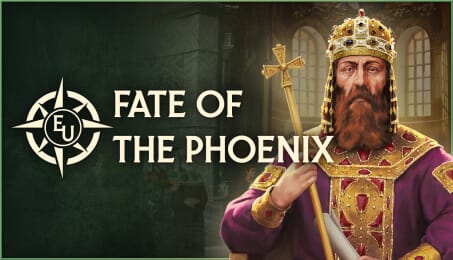
Europa Universalis V: Fate of the Phoenix (PC)

Europa Universalis V: Fate of the Phoenix CD key to be activated and downloaded via Steam. You will not be sent any physical items in the mail. You will receive a(n) Steam product key via e -mail.

PLEASE NOTE - THIS IS AN EXPANSION PACK
EUROPA UNIVERSALIS V: FATE OF THE PHOENIX GAME DESCRIPTION
Europa Universalis V: Fate of the Phoenix
Relive or revive the fading glories of the Eastern Roman Empire in Fate of the Phoenix, an Immersion Pack for Europa Universalis V. This DLC adds new historical flavor and content to the Byzantine Empire, with unique mechanics, historical options and alternative historical paths to pursue.
Europa Universalis V: Fate of the Phoenix includes:
Byzantine Bureaucracies: Unique content for the new Bureaucracy system designed for larger imperial powers. Choose to keep the old ways in hopes of restoring the empire or take the risk of discarding centuries of ambition to follow a more modest course.
Latinitas vs Romanismos: A unique Societal Value for the empire, choosing between a reconciliation with the Latin powers of the west or entrenching native Greek culture and independence.
Fate of the Phoenix Disaster: Work to reverse the crumbling fortunes of the empire before it gets too late to stop the decline. Choose a clear path, expand quickly, and reform so you can stabilize the ship of state.
More Orthodox Content: Interact with the Ecumenical Patriarchs, restore the Pentarchy to strengthen the Eastern Church, expand Orthodoxy to Rome and Mend the Schism.
Hellenism: Revive belief in the old pagan gods, seeking their favor through the invocation of omens.
Latin Culture: Embrace a total return to the old Roman roots, taking up the old ways.
New Art: New portraits, illustrations, city models and unit models inspired by Byzantine history.
New Flavor Content: New events, military units, character-related actions, subjects, and more!


© 2025 Paradox Interactive AB. Europa Universalis V is published by Paradox Interactive AB and developed by Paradox Tinto, S.L . EUROPA UNIVERSALIS V™, PARADOX INTERACTIVE and PARADOX TINTO are trademarks and/or registered trademarks of Paradox Interactive AB in Europe, the U.S. and other countries. Any other trademark, logo and copyright is the property of its owner.
FREQUENTLY ASKED QUESTIONS
How does it work? Will I receive Europa Universalis V: Fate of the Phoenix as a physical copy?
No, you will receive Europa Universalis V: Fate of the Phoenix product key (Europa Universalis V: Fate of the Phoenix CD Key), that you will receive by e-mail. Afterwards, you will need to use the Steam-platform to redeem your Europa Universalis V: Fate of the Phoenix product key (Europa Universalis V: Fate of the Phoenix CD Key), and you'll be ready to download, install and play Europa Universalis V: Fate of the Phoenix. You will receive a step-by-step guide on how to do this along with your purchase. It's easy as can be!
Relive or revive the fading glories of the Eastern Roman Empire in Fate of the Phoenix, an Immersion Pack for Europa Universalis V. This DLC adds new historical flavor and content to the Byzantine Empire, with unique mechanics, historical options and alternative historical paths to pursue.
Genre Strategi En spelare Flera spelare PvP online Co-op Co-op online Nedladdingsbart innehåll Steam-prestationer Steam Workshop Familjedelning
Publisher Paradox Interactive
PEGI-rating 
Platform PC
Language Engelska Franska Tyska Spanska – Spanien Japanska Koreanska Polska Portugisiska – Brasilien Ryska Förenklad kinesiska Turkiska
Release date 06-05-2026
System requirements PCMinimum:
- Kräver en 64-bitars processor samt operativsystem
Rekommenderade:
- Kräver en 64-bitars processor samt operativsystem
No customers reviews at the moment.