
 Contact
  Infocenter
  Login
Login  0 Product Products 0 Items
 No products
0 Product(s) for a total of: 0,00 €

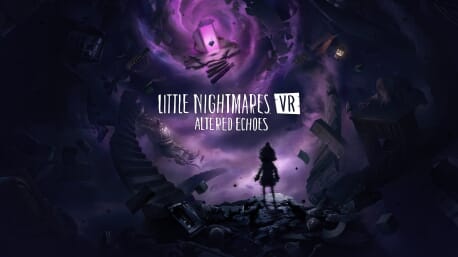
Little Nightmares VR: Altered Echoes (PC)

Little Nightmares VR: Altered Echoes supports VR. A VR headset is required in order to play this game.
Dark Six is on a haunting journey to recover what was lost, herself.
Only by reuniting with her other self can she escape a monstrous fate.
FACE YOUR MOST IMMERSIVE NIGHTMARE
For the first time, experience the disturbing universe of Little Nightmares in first person, through your own eyes, in VR. Every sight, sound and shadow becomes part of your reality, drawing you deeper into a twisted world where nightmare and truth blur. Each interaction with your surroundings reveals intricate puzzles, hidden paths, and secrets buried in darkness.
EXPERIENCE THE OPPRESSIVE ATMOSPHERE
Enter a twisted world where your fragility as a child collides with the grotesque scale of your surroundings. Every corridor, every room, and every object feels slightly wrong, drawing you further into a reality that resists logic and comfort. Danger is constantly lurking in the darkness. You're surrounded by an unease that never loosens its grip and every step forward feels perilous.
PUT THE PIECES TOGETHER
Beyond the fear lies mystery. Your journey is not only about survival but about rediscovery, a search to reunite with the part of yourself that has been lost. Strange new locations and terrifying foes await, yet fragments of familiarity emerge, hinting at deeper truths. As you uncover clues tied to Six’s story and the enigmatic Transmission, questions of identity and belonging rise to the surface.
Why are you here? What is your purpose in this distorted world?
Each puzzle solved and each secret revealed brings you closer to confronting the essence of your existence and piecing together what was broken.
The disturbing environments you traverse are filled with echoes of past events, whispers of hidden connections, and signs that your journey is part of something larger. Confronting these mysteries means facing not only external threats but also the haunting reality of your own transformation...


Little Nightmares™VR: Altered Echoes & ©Bandai Namco Entertainment Europe S.A.S.
How does it work? Will I receive Little Nightmares VR: Altered Echoes as a physical copy?
No, you will receive Little Nightmares VR: Altered Echoes product key (Little Nightmares VR: Altered Echoes CD Key), that you will receive by e-mail. Afterwards, you will need to use the Steam-platform to redeem your Little Nightmares VR: Altered Echoes product key (Little Nightmares VR: Altered Echoes CD Key), and you'll be ready to download, install and play Little Nightmares VR: Altered Echoes. You will receive a step-by-step guide on how to do this along with your purchase. It's easy as can be!
Little Nightmares VR: Altered Echoes is a dark atmospheric adventure‑puzzle game where you embody Dark Six, a mysterious figure with the shape of a little girl. Navigate in a disturbing world, solve intricate puzzles, and escape terrifying giant foes in a desperate search to become whole again.

No customers reviews at the moment.