 Contact
  Infocenter
  Login
Login Requires the base game Europa Universalis IV on Steam in order to use Europa Universalis IV: Sounds from the Community – Kairis Soundtrack II.

 0 Product Products 0 Items
 No products
Your basket contains
0 Product(s) for a total of: 0,00 €
0 Product(s) for a total of: 0,00 €

Product successfully added to your shopping cart
Quantity
Total
There are 0 items in your cart. There is 1 item in your cart.
Total products
Total shipping To be determined
Total
Europa Universalis IV: Sounds from the Community – Kairis Soundtrack II (PC)
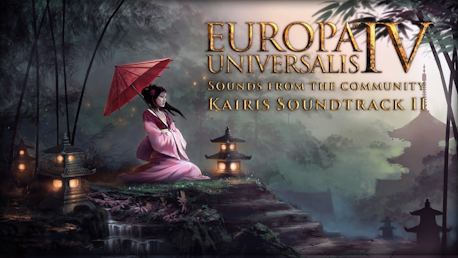
Europa Universalis IV: Sounds from the Community – Kairis Soundtrack II (PC)

Europa Universalis IV: Sounds from the Community – Kairis Soundtrack II CD key to be activated and downloaded via Steam. You will not be sent any physical items in the mail. You will receive a(n) Steam product key via e -mail.

PLEASE NOTE - THIS IS AN EXPANSION PACK
EUROPA UNIVERSALIS IV: SOUNDS FROM THE COMMUNITY – KAIRIS SOUNDTRACK II GAME DESCRIPTION
Europa Universalis IV – Sounds from the Community – Kairis Soundtrack II
Add new variety and inspiration to your Europa Universalis IV experience with the second soundtrack composed by the avid Europa Universalis fan Kairi!
Invoke themes and sounds of history with music inspired by the regions of the Far east, from the grasslands of the Khanate to the shores of the South Seas of Asia.
Kairi Sawler, the talented creator of a prior community soundtrack grasps the emotion and traditions of the Far East
to make this pack the perfect backdrop to the march of your growing dynasty.
The following songs are included:
1 - Peace for Generations
2 - The Grasslands Call
3 - The Great Wall
4 - Eastern Fronts
5 - Temple Ambitions
Legal Information
© 2015 Paradox Interactive™. Trademarks belong to their respective owners. All rights reserved.


FREQUENTLY ASKED QUESTIONS
How does it work? Will I receive Europa Universalis IV: Sounds from the Community – Kairis Soundtrack II as a physical copy?
No, you will receive Europa Universalis IV: Sounds from the Community – Kairis Soundtrack II product key (Europa Universalis IV: Sounds from the Community – Kairis Soundtrack II CD Key), that you will receive by e-mail. Afterwards, you will need to use the Steam-platform to redeem your Europa Universalis IV: Sounds from the Community – Kairis Soundtrack II product key (Europa Universalis IV: Sounds from the Community – Kairis Soundtrack II CD Key), and you'll be ready to download, install and play Europa Universalis IV: Sounds from the Community – Kairis Soundtrack II. You will receive a step-by-step guide on how to do this along with your purchase. It's easy as can be!
Genre Simulation Strategy Single-player Multi-player Cross-Platform Multiplayer Downloadable Content Steam Achievements Steam Trading Cards Steam Workshop Steam Cloud Family Sharing
Publisher Paradox Interactive
PEGI-rating 
Developer Paradox Development Studio
Language English
Release date 05-04-2016
System requirements Read moreNo customers reviews at the moment.