 Contact
  Infocenter
  Login
Login Requires the base game Surviving the Aftermath on Steam in order to use Surviving the Aftermath - Rebirth.

 0 Product Products 0 Items
 No products
Your basket contains
0 Product(s) for a total of: 0,00 €
0 Product(s) for a total of: 0,00 €

Product successfully added to your shopping cart
Quantity
Total
There are 0 items in your cart. There is 1 item in your cart.
Total products
Total shipping To be determined
Total
Surviving the Aftermath - Rebirth (PC)
Surviving the Aftermath - Rebirth (PC)

Surviving the Aftermath - Rebirth CD key to be activated and downloaded via Steam. You will not be sent any physical items in the mail. You will receive a(n) Steam product key via e -mail.

PLEASE NOTE - THIS IS AN EXPANSION PACK
SURVIVING THE AFTERMATH - REBIRTH GAME DESCRIPTION
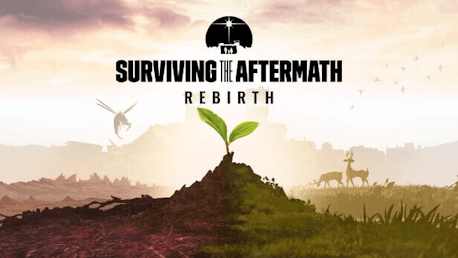
For the longest time, you strived to survive the aftermath on planet Earth. Now, thanks to your knowledge, skills, and leadership, you can finally look forward to a new chapter for humankind. “Rebirth” is your mantra, your goal, the dream that will make you overcome old and new challenges, for your survivors and all humanity.
“Rebirth” main features include:
Blight: from threat to resource
After decades of exposure to radioactive pollution, a new infestation called Blight has emerged. Mutated fungi have started to infect the animals, causing them to become aggressive and dangerous. This infection has spread through the wasteland and is threatening to take over. You will need to find a cure for the Blight to defend against it. Gather Blight samples, study them in a new research building and make discoveries to unlock new buildings, resources, and upgrades.
From a wasteland to green pastures
Let’s turn this barren land into fertile soil! With the Terraformer, you will be able to welcome new life: the more you terraform, the more your map will turn green and lush with vegetation and animals. Be aware of the blighted areas that you will terraform, here, blight monsters will spawn and attack your survivors.
New buildings and upgrades
“Rebirth” adds three new buildings, three building upgrades, plus an all-new multi-stage Blight lab with its Research tree. A Purification post will allow you to remove small pollution deposits and it can be upgraded to an Extermination post to clear blighted nests, hives, and lairs. The Basic Terraformer turns the land into terraformed soil and it can be upgraded to Advanced Terraformer. The Environmental Station becomes the Hazmat station: with it, survivors can clear the blight cores and stop the creatures' attacks. While not a new building, the Guard Posts have received significant improvements and will now be more critical than ever when defending your colony.


© 2023 Paradox Interactive AB, SURVIVING THE AFTERMATH, and PARADOX INTERACTIVE are trademarks and/or registered trademarks of Paradox Interactive AB in Europe, the U.S., and other countries. Developed by ICEFLAKE STUDIOS. All other trademarks, logos, and copyrights are property of their respective owners.
FREQUENTLY ASKED QUESTIONS
How does it work? Will I receive Surviving the Aftermath - Rebirth as a physical copy?
No, you will receive Surviving the Aftermath - Rebirth product key (Surviving the Aftermath - Rebirth CD Key), that you will receive by e-mail. Afterwards, you will need to use the Steam-platform to redeem your Surviving the Aftermath - Rebirth product key (Surviving the Aftermath - Rebirth CD Key), and you'll be ready to download, install and play Surviving the Aftermath - Rebirth. You will receive a step-by-step guide on how to do this along with your purchase. It's easy as can be!
“Rebirth” introduces the threat of Blight. Free the world from this plague by discovering a cure and new buildings. Fight the hive monsters and terraform the land to start a new chapter for humankind.
Genre Simulation Strategy Single-player Downloadable Content Steam Achievements Partial Controller Support Steam Cloud Family Sharing
Publisher Paradox Interactive
PEGI-rating 
Platform PC
Language English French German Polish Portuguese - Brazil Russian Simplified Chinese Spanish - Latin America
Release date 16-03-2023
System requirements Read moreNo customers reviews at the moment.