 Contact
  Infocenter
  Login
Login Requires the base game Railway Empire on Steam in order to use Railway Empire: Northern Europe.

 0 Product Products 0 Items
 No products
Your basket contains
0 Product(s) for a total of: 0,00 €
0 Product(s) for a total of: 0,00 €

Product successfully added to your shopping cart
Quantity
Total
There are 0 items in your cart. There is 1 item in your cart.
Total products
Total shipping To be determined
Total
Railway Empire: Northern Europe (PC)
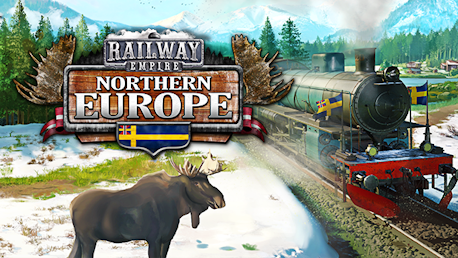
Railway Empire: Northern Europe (PC)

Railway Empire: Northern Europe CD key to be activated and downloaded via Steam. You will not be sent any physical items in the mail. You will receive a(n) Steam product key via e -mail.

PLEASE NOTE - THIS IS AN EXPANSION PACK
RAILWAY EMPIRE: NORTHERN EUROPE GAME DESCRIPTION
Railway Empire heads to ‘Northern Europe’ with its latest DLC. Aid the Swedish Parliament and construct a national railroad to continue the country’s far-reaching industrial advancements along the lakes and sprawling rivers that were first used by freight ships to provide goods and supplies to Northern Europe’s people.
- New scenario: Hibernation (1853-1870)
- Map expansion: ‘Northern Europe’ (available in Free Game and Sandbox modes)
- 3 historical engines: Odin (2-2-2), Prins August (2-4-0) and SJB II (4-6-0)
- 10 new tradeable goods (e.g. crisp bread and brown cheese) and 30 new cities
- ‘Concession’ feature: The map is divided into sections. Buy concessions to gain access to new building grounds (Also available on the full North American map)
- Snow: Enhanced weather system for all northern regions in the game
- New regional soundtrack


FREQUENTLY ASKED QUESTIONS
How does it work? Will I receive Railway Empire: Northern Europe as a physical copy?
No, you will receive Railway Empire: Northern Europe product key (Railway Empire: Northern Europe CD Key), that you will receive by e-mail. Afterwards, you will need to use the Steam-platform to redeem your Railway Empire: Northern Europe product key (Railway Empire: Northern Europe CD Key), and you'll be ready to download, install and play Railway Empire: Northern Europe. You will receive a step-by-step guide on how to do this along with your purchase. It's easy as can be!
Genre Simulation Strategy Single-player Downloadable Content Steam Achievements Full controller support Steam Trading Cards Steam Workshop Steam Cloud Family Sharing
Publisher Kalypso Media
PEGI-rating 
Developer Gaming Minds Studios
Language English French German Russian Simplified Chinese Italian Spanish - Spain Polish Korean Japanese
Release date 13-12-2019
System requirements Read moreNo customers reviews at the moment.